Property OP&L - Mandatory fields message

Sep 15, 2025
 82
82
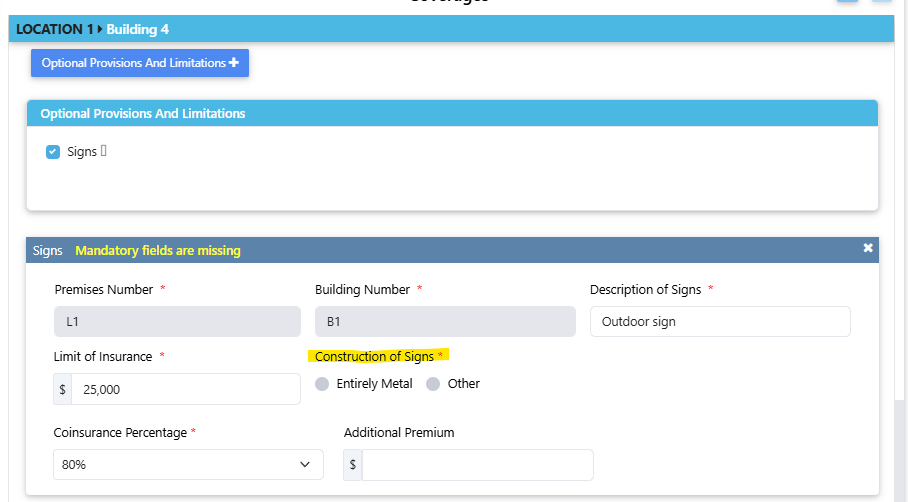
If a message appears stating "Mandatory fields are missing in Property OP&L section. This may result in forms not being attached correctly", then check to see if any of the required fields in the Optional Provisions & Limitations section are incomplete.
In the example below, the Construction of Signs selection for Building 4 has not been made.