


 46
46
If user needs to extend the policy expiration date, please obtain Underwriting approval and then follow the steps below:
1. Open the account and select the 'ENDORSE' button (in blue)
2. Set the Endorsement Effective Date (this date should be before the policy's current expiration date)

3. Change the Policy Effective (i.e. from 11/21 to 12/24)
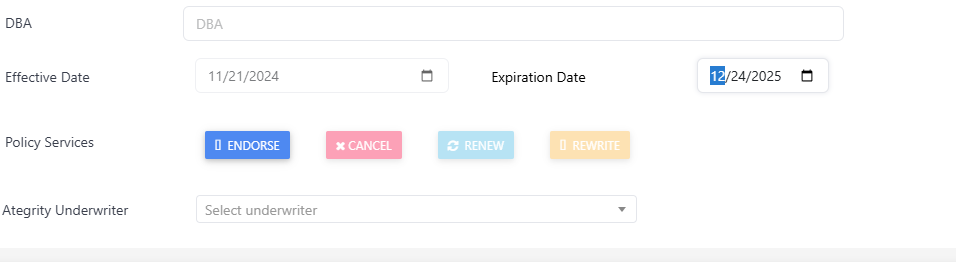
*Change the calendar date with the icon/date
4. Select the Continue to Full Quote and/or Continue to Building Coverage button
5. Scroll to the Policy Services section and select the 'Calculate Premium' button

6. Review the generated endorsement wording for accuracy and edit as needed
7. Enter the extension's additional premium amount into the Override Premium field
*Please note that manual intervention is required as the system does not auto-generate premiums for policy extensions. The formula is outlined below:
- Find the total annual premium for the policy.
- Divide the total annual premium by 365 to find the daily cost of the policy.
Daily Cost = Total Annual Premium / 365
- Multiply the daily cost by the number of days the extension is needed.
Prorated Extension Cost = Daily Cost x Number of Days in Extension
8. Select the Preview Endorsement button to review the change
9. Select the Complete/Issue Endorsement button to finalize it
As a note: Sometimes the system auto-attaches forms to endorsements. You may complete a PDF edit to remove them as needed.

