


Finding a Quote

Mar 09, 2026
 2
2
To find a quote, follow the steps below:
1. Select the 'Account List' option on the right-hand side
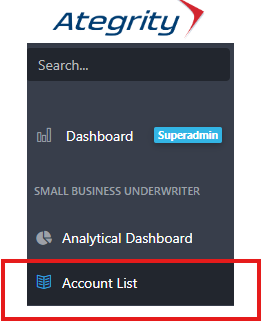
2. Enter the Named Insured, Quote ID or GA Underwriter Name into the search bar and select the magnifying glass.

Tips:
- If you are searching for a renewal quote and do not have the current quote ID, you may enter the previous policy number or the named insured.
- To expedite your search, you can enter only the primary number (for example, Q0000000000000 instead of 01-C-Q0000000000000.001).
- If the policy or quote has been referred to Brokerage (number contains 01-B), it will appear in the results; however, you will not be able to open the policy or quote.
- Please allow a minute for the search results to load.
- If you cannot find your policy or quote, please contact [email protected].

