


 154
154
If user needs to change a mailing address for an active policy, then they will need to endorse the policy by:
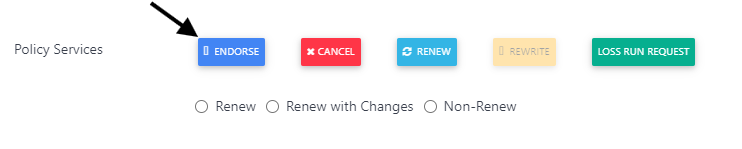
1 - Retrieve account and Select the Endorse button
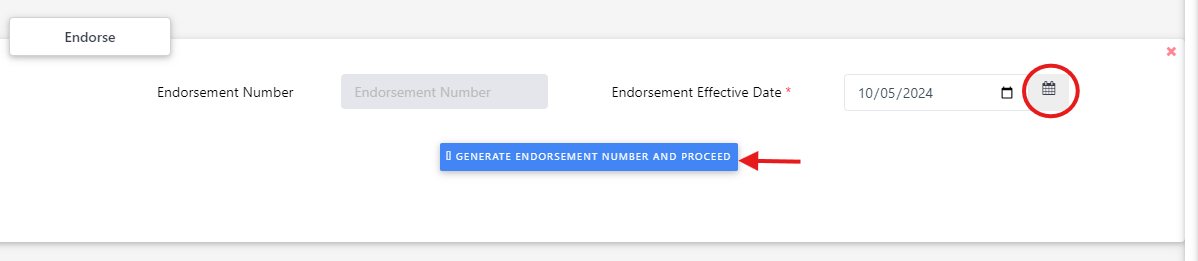
2 - Enter the endorsement date by using the calendar widget, tab out of the data field and then select the 'Generate Endorsement Number and Proceed' button
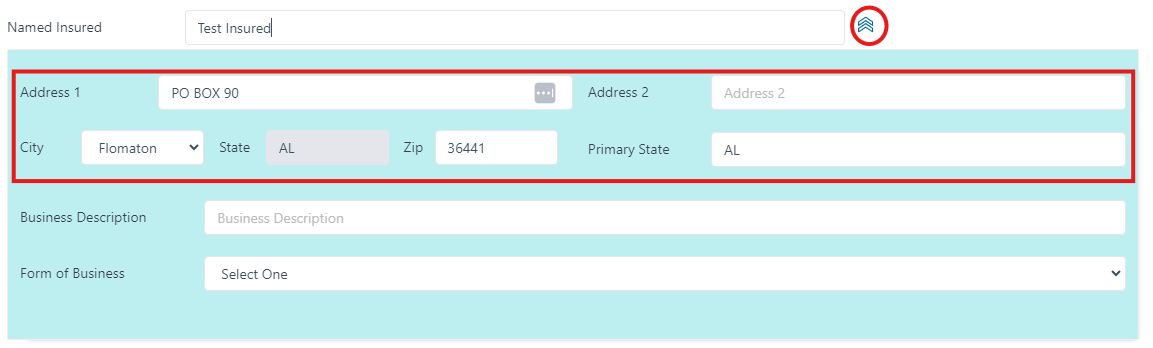
3 - Select the 'View Details' option next to the named insured to display the address fields and enter the changes.
4 - Scroll down the Policy Services (Endorsement) Tile and Select the 'Calculate Premium' button

5 - Review the endorsement wording (and premium change) that the system generated for accuracy and apply edits as needed
6 - Select the 'Preview Endorsement' button to review the Endorsement Dec
7 - Select the 'Complete Issue Endorsement' button to finalize the change
If user needs to change a mailing address for a cancelled policy, they will need to follow steps below:
1 - Reinstate the policy
2- Endorse the policy to change the mailing address (by following the steps outlined under an active policy)
3 - Cancel the policy back

